Orchestrating Multi-Agent Sequential Workflows in ASP.NET Core with Microsoft Agent Framework
Build reliable research, plan and review pipelines with AgentWorkflowBuilder, DI-aware tools and a minimal API endpoint.
Enterprise AI agents rarely stay single-purpose. A research request becomes a plan, then a budget check, then a final summary. Hand-coding the hand-offs between these steps produces brittle glue code that is hard to observe, hard to resume, and hard to unit-test. Microsoft Agent Framework gives you first-class workflow primitives that live inside the same dependency-injection container as the rest of your ASP.NET Core application.
This article shows how to register specialized agents, wire them into a sequential pipeline with AgentWorkflowBuilder, attach tools that resolve real application services, and expose the workflow through a minimal endpoint. The pattern is the same one used in recent public samples for travel planning and interview coaching, adapted for a typical .NET service layer.
Why sequential workflows instead of one big agent
A single agent with a long system prompt can call tools, but it still owns every decision. When the task has clear stages with different expertise, different tool sets, or different cost profiles, a pipeline is easier to reason about:
- Each stage has a narrow instruction set and a focused set of tools.
- Intermediate outputs are explicit and can be logged or validated.
- You can swap one stage (for example, replace a cloud model with a local one) without rewriting the rest.
- Failures stay isolated; a budget-check failure does not require re-running the research step.
Agent Framework supplies AgentWorkflowBuilder.BuildSequential exactly for this case. The output of one agent becomes the input to the next, and the final agent's response is the workflow result.
Packages and registration
Add the Agent Framework packages (the hosting package may still ship as a prerelease, so add --prerelease if dotnet add cannot find a stable version):
dotnet add package Microsoft.Agents.AI
dotnet add package Microsoft.Agents.AI.Hosting
dotnet add package Microsoft.Agents.AI.Workflows

# Only needed for the Azure OpenAI client used below
dotnet add package Azure.AI.OpenAI
dotnet add package Azure.Identity
dotnet add package Microsoft.Extensions.AI.OpenAI
You also need an IChatClient. The hosting libraries expect it to be registered before you call AddAIAgent. A typical registration against Azure OpenAI or any OpenAI-compatible endpoint looks like this:
var builder = WebApplication.CreateBuilder(args);

// Register the chat client once. Use a keyed service if you have multiple models.
builder.Services.AddSingleton<IChatClient>(sp =>
{
    // Replace with your provider. Azure OpenAI, OpenAI, or an OpenAI-compatible local endpoint all work.
    var client = new AzureOpenAIClient(
        new Uri(builder.Configuration["AzureOpenAI:Endpoint"]!),
        new DefaultAzureCredential())
        .GetChatClient(builder.Configuration["AzureOpenAI:Deployment"]!);

    return client.AsIChatClient();
});
With the client in place you register each agent by name. The name becomes the keyed service key and is also used for session stores if you later add persistence.
builder.AddAIAgent(
    "researcher",
    instructions: "You are a research specialist. Gather facts, cite sources, and produce a concise briefing. Do not invent data.");

builder.AddAIAgent(
    "planner",
    instructions: "You are a planning specialist. Turn research findings into a concrete, ordered plan with clear next actions.");

builder.AddAIAgent(
    "reviewer",
    instructions: "You are a reviewer. Check the plan for completeness, risk, and consistency with the research. Return the final approved plan or a short list of required changes.");
Each call returns an IHostedAgentBuilder so you can chain configuration such as tools or session stores. For now the defaults are sufficient.
Building the sequential workflow
AddWorkflow accepts a factory that receives the service provider and the workflow key. Inside the factory you resolve the agents you need and hand them to AgentWorkflowBuilder.
builder.AddWorkflow("research-plan-review", (sp, key) =>
{
    var researcher = sp.GetRequiredKeyedService<AIAgent>("researcher");
    var planner    = sp.GetRequiredKeyedService<AIAgent>("planner");
    var reviewer   = sp.GetRequiredKeyedService<AIAgent>("reviewer");

    return AgentWorkflowBuilder.BuildSequential(key, [researcher, planner, reviewer]);
})
.AddAsAIAgent(); // also registers the whole pipeline as a keyed AIAgent named "research-plan-review"
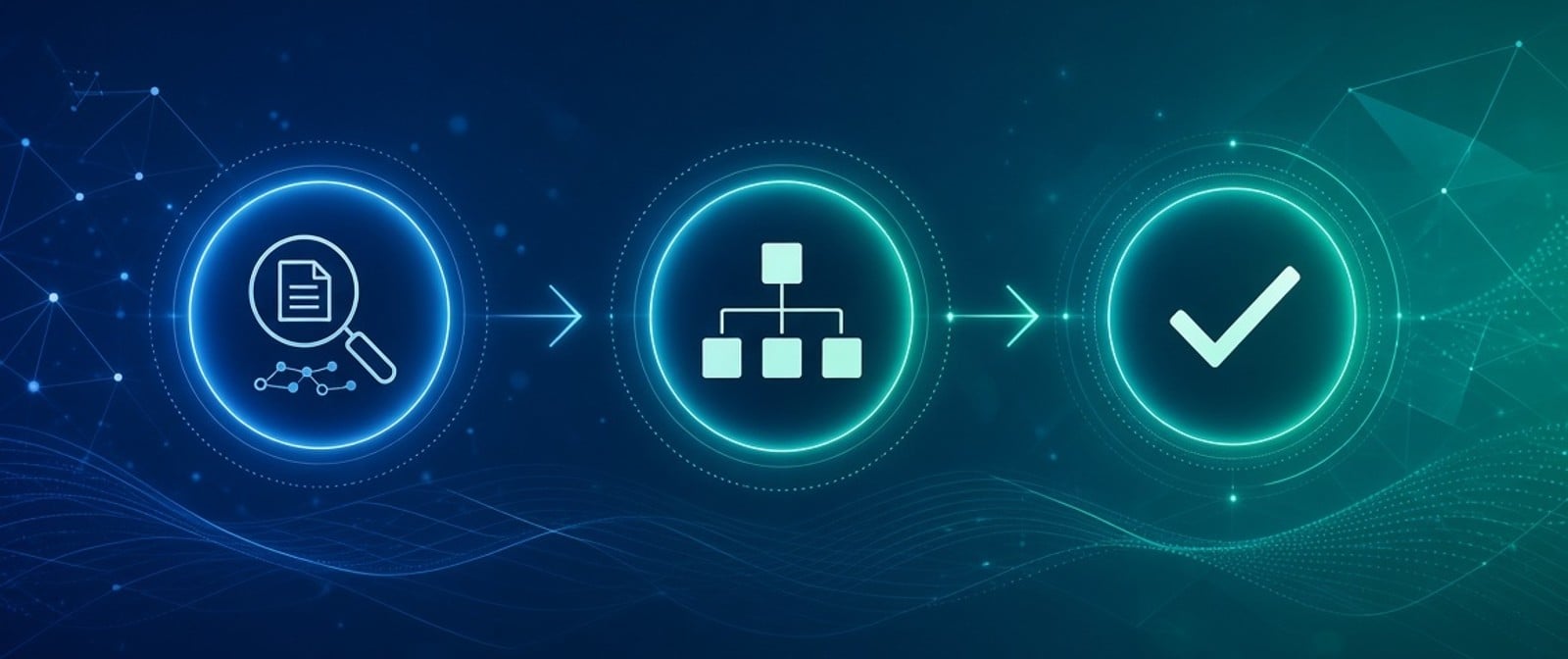
BuildSequential creates a pipeline: user input → researcher → planner → reviewer → final output. The framework manages the message history that is passed between stages, so each agent sees the accumulated context.
Chaining .AddAsAIAgent() registers the workflow as an ordinary AIAgent under the workflow's name. That gives you one simple RunAsync call for your own endpoints, and it is also what protocol integrations such as A2A, AG-UI, or OpenAI-compatible endpoints expect.
Giving agents tools that use your existing services
Agents become useful when they can call your domain services. The hosting package lets you register tools with a factory that receives the IServiceProvider, so a tool can use services from your existing DI container.
Define a simple service and a tool that uses it:
public interface IKnowledgeService
{
    Task<string> SearchAsync(string query);
}

public class KnowledgeService : IKnowledgeService
{
    public Task<string> SearchAsync(string query) =>
        Task.FromResult($"Internal knowledge result for '{query}' (replace with real search).");
}

// Registration
builder.Services.AddSingleton<IKnowledgeService, KnowledgeService>();
Attach the tool to the researcher agent by chaining it onto that agent's registration (replace the plain researcher registration above, since each agent name should be registered once). The factory form of WithAITool receives the service provider so the tool can close over whatever it needs:
builder.AddAIAgent(
    "researcher",
    instructions: "You are a research specialist. Gather facts, cite sources, and produce a concise briefing. Do not invent data.")
    .WithAITool(sp =>
    {
        var knowledge = sp.GetRequiredService<IKnowledgeService>();
        return AIFunctionFactory.Create(
            async (string query) => await knowledge.SearchAsync(query),
            "search_knowledge",
            "Search the internal knowledge base.");
    });
When the researcher decides to call search_knowledge, the framework invokes the delegate with the service you resolved from DI. No static service locator is needed. Note that the agent and its tools are singletons by default, so either keep tool dependencies singleton-safe (as here) or create a scope inside the tool with IServiceScopeFactory when you need scoped services such as an EF Core DbContext.
You can add different tools to each agent in the pipeline. The planner might call a calendar service; the reviewer might call a policy-check service. Each stage stays focused.
Exposing the workflow from an ASP.NET Core endpoint
Because the workflow is registered as an agent, the endpoint just resolves that keyed AIAgent and runs it:
var app = builder.Build();

app.MapPost("/workflows/research-plan-review", async (
    [FromKeyedServices("research-plan-review")] AIAgent pipeline,
    PipelineRequest request,
    CancellationToken ct) =>
{
    // For production, use RunStreamingAsync and write the updates as server-sent events.
    var response = await pipeline.RunAsync(request.Prompt, cancellationToken: ct);
    return Results.Ok(new { finalResponse = response.Text });
});

app.Run();

public record PipelineRequest(string Prompt);
In a real application you will want:
- Authentication and authorization on the endpoint.
- A session or thread identifier so the same conversation can be resumed (pair this with
WithInMemorySessionStoreor a persistent store on the agents or workflow). - Streaming so the caller sees intermediate agent progress.
- OpenTelemetry (already integrated by Agent Framework) so each stage appears as a span.
Because the agents and the workflow are registered in DI, you can also inject them into ordinary application services, background jobs, or message handlers. The endpoint is only one possible entry point.
Practical considerations for production
Lifetime. Agents registered with AddAIAgent default to singleton. If an agent captures per-request state (for example a tenant context used in its instructions), register it with ServiceLifetime.Scoped and consume it only inside a request scope.
Cost and latency. Sequential pipelines multiply model calls. Keep each stage's instructions short and its tool set small. Consider using a cheaper model for the research stage and a stronger model only for the final review.
Validation between stages. Nothing prevents you from inserting a non-agent executor that validates or transforms the message list before the next agent runs. AgentWorkflowBuilder is a convenience over the lower-level WorkflowBuilder; you can drop down to the latter when you need conditional edges or custom executors.
Testing. Because agents are keyed services, you can replace any of them with a fake AIAgent in a test host and assert that the workflow routes correctly. Tools that depend on IKnowledgeService can be unit-tested independently of the model.
When to choose a different pattern
Sequential is the right default when stages have a clear order. Agent Framework also supplies:
BuildConcurrentwhen several specialists can work on the same input in parallel and their outputs are later aggregated.AgentWorkflowBuilder.CreateHandoffBuilderWithwhen one agent decides which specialist should take the next turn.AgentWorkflowBuilder.CreateGroupChatBuilderWithwhen several agents should take turns in a managed conversation.
Start with sequential. Move to the others only when the process genuinely requires them. The registration and DI story stays the same.
Summary
Microsoft Agent Framework lets you treat multi-agent pipelines as ordinary ASP.NET Core services. Register specialized agents with AddAIAgent, compose them with AgentWorkflowBuilder.BuildSequential, attach tools that resolve your existing domain services, and expose the result through a normal endpoint. The resulting code is easier to observe, easier to test, and easier to evolve than a single monolithic agent or a pile of ad-hoc orchestration logic.
The same hosting model works for A2A, AG-UI, and durable execution when those requirements appear. For most internal enterprise workflows, the sequential pipeline shown here is the practical starting point.
Author bio
Rahmat Afridi is an AI Integration Developer and Senior .NET Developer based in Islamabad, Pakistan, with 7+ years of experience in C#, ASP.NET Core and Azure, now focused on modern AI agent frameworks. He focuses on practical, production-ready integration of LLMs and agents into existing enterprise systems.
Portfolio and AI integration services: rahmatafridi.com
GitHub: github.com/rahmatafridi
Comments
Join the discussionNo comments yet. Be the first to comment.